How to Become a Full-Stack Developer in 2026: A Roadmap in the Age of AI
A practical, stage-by-stage roadmap from HTML to AI features, how to use AI tools without stunting your learning, portfolio projects that get noticed, and finding a first role.

Mohit Malaya Nandy
Software Engineer & Product Builder
On this page
- What AI changed, and what it didn't
- Stage 1 (months 0 to 3): The foundations
- Stage 2 (months 3 to 6): Frontend with React
- Stage 3 (months 6 to 9): Backend and databases
- Stage 4 (months 9 to 12): Shipping like a professional
- Stage 5 (ongoing): Building with AI
- How to use AI while you learn
- Projects that get you hired
- Finding your first role
- Mistakes to avoid
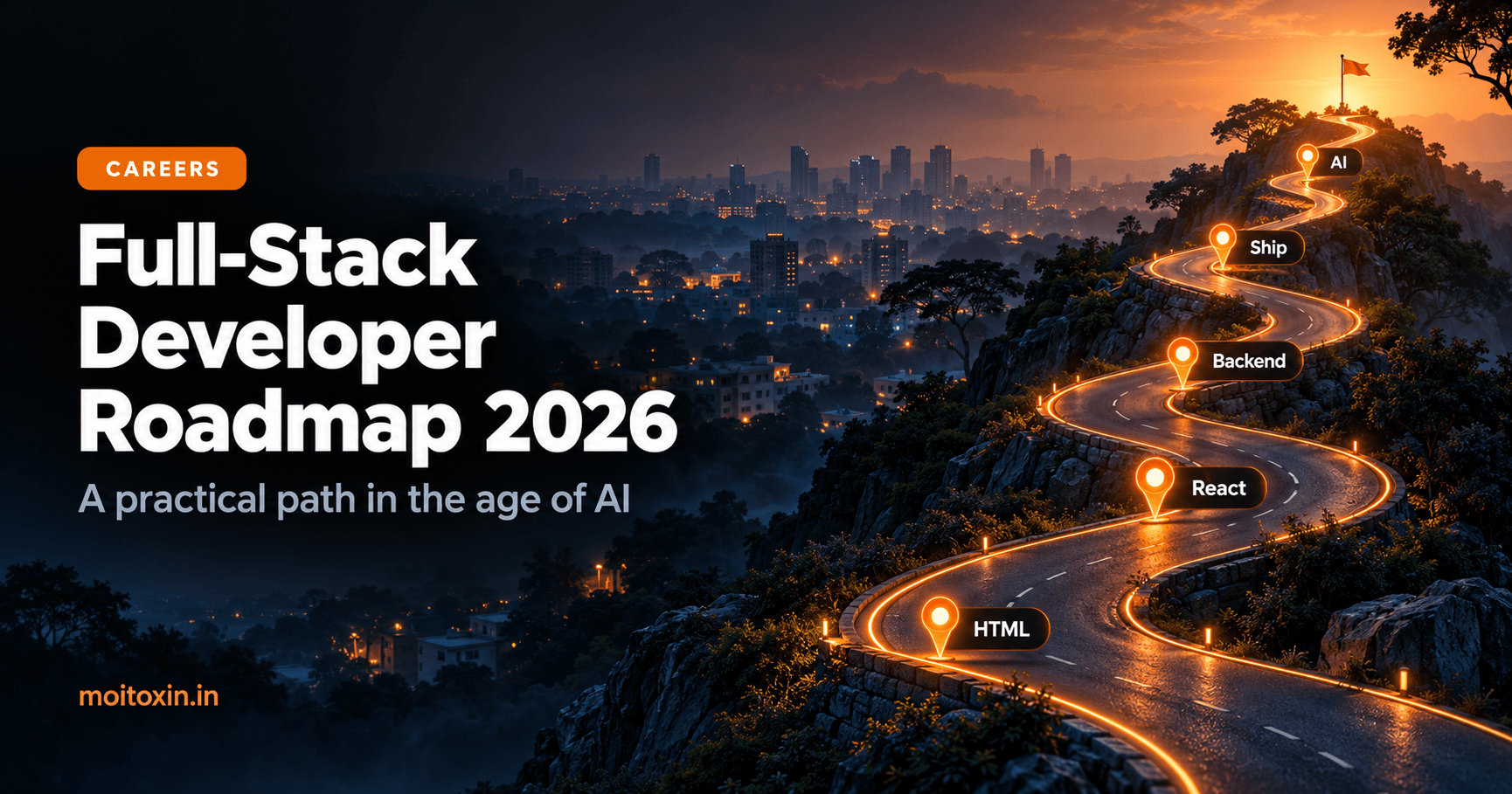
- The roadmap at a glance
- FAQ
- Free learning resources
Every few months someone announces that AI will make developers unnecessary. Meanwhile, from where I sit in Bengaluru, teams are still hiring people who can build and own real products. What has changed is which skills make you valuable.
This is the roadmap I would follow if I were starting full-stack development today: what to learn, in what order, how to use AI without stunting your growth, and how to turn all of it into a job. It is opinionated, and it is based on what I have seen working on real projects, not on hype.
What AI changed, and what it didn't#
| Less valuable than before | More valuable than before |
|---|---|
| Typing boilerplate from memory | Understanding what code does and why |
| Knowing every API by heart | Knowing where to find and verify the current docs |
| Writing simple CRUD screens alone | Designing systems: data, APIs, trade-offs |
| Working only on your own small part | Owning a feature end to end, including production |
| Speed of writing code | Judgement: reviewing, testing, debugging and securing code |
AI makes good developers faster. It makes developers who don't understand their code dangerous.
When I recently had an AI agent audit my own projects, the most valuable moments were when I could tell whether its suggestions were right. That judgement is what this roadmap builds.
Stage 1 (months 0 to 3): The foundations#
Do not skip this. Everything else stands on it.
- HTML and CSS: semantic HTML, Flexbox, Grid, responsive layouts and basic accessibility. The MDN learning area is free and excellent.
- JavaScript properly: variables, functions, arrays and objects, the DOM, events, promises and
async/await. javascript.info is a great companion. - Git and GitHub: commits, branches, pull requests. Commit every day you code (Pro Git is free).
- The terminal: moving around folders, running commands, reading error messages.
Build: a personal page, a to-do app with local storage, and a small app that calls a public API.
Stage 2 (months 3 to 6): Frontend with React#
- React: components, props, state, effects, forms and lists, from the official react.dev tutorial.
- A framework: Next.js, including server and client components. My Server Components guide explains the model.
- Styling: Tailwind CSS or CSS Modules. Learn one well.
- Web basics: how HTTP works, status codes, cookies, CORS and Core Web Vitals (web.dev).
Build: a multi-page app with routing, data fetching, loading and error states.
Stage 3 (months 6 to 9): Backend and databases#
Choose one backend path and go deep:
| Path | Good for | Start with |
|---|---|---|
| Node.js + Express | One language across the whole stack | Node.js docs |
| Python + Flask or FastAPI | Developers also interested in data and AI | Python tutorial |
- REST APIs: routes, validation, error handling and status codes.
- Databases: learn SQL (PostgreSQL) and one document database (MongoDB). Know when to use which (PostgreSQL tutorial).
- Authentication: password hashing, sessions vs tokens, and passkeys. See my secure authentication and passkeys guides.
- Security basics: the OWASP Top 10. Know how injection, XSS and broken access control happen.
Build: a full-stack app with sign-up, a database and at least one feature that is not just create, read, update and delete.
Stage 4 (months 9 to 12): Shipping like a professional#
- Testing: unit tests for logic, a few end-to-end tests for important flows.
- Deployment: environment variables, a hosting platform, a custom domain and HTTPS.
- Docker basics: run your app and database in containers.
- CI: run lint and tests on every push with GitHub Actions.
- Observability: logs, error tracking and reading what production tells you.
- SEO and performance for public sites (my Next.js SEO guide covers the essentials).
Stage 5 (ongoing): Building with AI#
This is no longer optional. Most new products include some AI feature, and teams want developers who can build them safely:
- Calling an LLM API, with streaming responses.
- Embeddings and semantic search.
- RAG: answering from your own documents.
- Tools and agents, including MCP servers.
- Securing AI features against prompt injection and runaway costs.
How to use AI while you learn#
AI tools can make you learn faster, or they can stop you from learning at all. The difference is how you use them.
| Do | Avoid |
|---|---|
| Ask it to explain code or an error message | Pasting errors in and accepting fixes you don't understand |
| Write it yourself first, then ask for a review | Generating whole features while learning the basics |
| Ask for hints, not answers, on exercises | Copying solutions to finish faster |
| Ask why one approach is better than another | Assuming the output is current and correct |
| Use agents for real projects once you can review their work | Shipping code you could not explain in an interview |
Once you are comfortable, learn to work with AI coding agents properly: clear instructions, tests the agent can run, and careful review. I wrote about context engineering and reviewing AI-generated code.
Projects that get you hired#
Three solid projects beat twenty tutorial clones. Good portfolio projects:
- Solve a real problem, ideally for real users: a local shop, a college club, your family.
- Are deployed with a live link, not just a GitHub repository.
- Have a clear README: what it does, the stack, how to run it, and what you would improve.
- Show depth in one area: authentication done properly, a fast search, a thoughtful AI feature, good tests.
- Have honest git history: many small commits show how you work.
Writing about what you build, as on this blog, multiplies its value. It shows you can explain your thinking.
Finding your first role#
From what I have seen in the Bengaluru tech scene, a few things consistently help:
- Internships and early-stage startups often give juniors the broadest experience: you touch everything.
- Referrals beat cold applications. Meetups, college alumni and online communities are where they start.
- Open source contributions, even small documentation fixes, show you can work in someone else's codebase.
- A clear online presence: GitHub, LinkedIn and a portfolio that tell the same story.
- Freelance projects for small businesses build real experience and references.
In interviews
- Explain your projects deeply: why you chose the stack, what went wrong, what you would change.
- Practise core JavaScript, data structures and basic system design.
- Expect questions about how you use AI tools, and be honest and specific.
- Think out loud. How you reason matters as much as the final answer.
Mistakes to avoid#
- Tutorial hell: watching course after course without building. Build something after every topic.
- Chasing every new framework. Fundamentals last; frameworks change.
- Learning alone. Code reviews, communities and pair programming speed you up enormously.
- Ignoring security and testing until "later". Later never comes.
- Burning out. Consistent hours beat heroic weekends. This is a long game.
The roadmap at a glance#
| Stage | Focus | Build |
|---|---|---|
| 0–3 months | HTML, CSS, JavaScript, Git, terminal | Personal page, to-do app, API app |
| 3–6 months | React, Next.js, styling, HTTP | Multi-page app with data fetching |
| 6–9 months | Backend, SQL and MongoDB, auth, security | Full-stack app with sign-up |
| 9–12 months | Testing, deployment, Docker, CI, monitoring | Deploy everything with CI |
| Ongoing | LLM APIs, embeddings, RAG, agents, AI security | One real AI feature, built safely |
The timeline is a guide, not a deadline. If you keep building, keep reading the official docs, and keep checking your understanding, you will get there. And you will be the kind of developer AI makes better, not redundant.
Frequently asked questions#
Is full-stack development still worth learning in 2026?
Yes. AI tools write a lot of code, but companies still need people who understand how a whole product works: the interface, the API, the data and how it all runs in production. Those skills are what let you use AI tools well instead of being replaced by them.
How long does it take to become a full-stack developer?
With steady daily practice, many people reach a job-ready junior level in about 9 to 15 months. It depends heavily on how much you build. Watching tutorials without building projects takes far longer.
Should I learn the MERN stack or Python?
Pick one path and go deep first. JavaScript with React and Node.js lets you use one language across the whole stack. Python with Flask or FastAPI is a strong choice if you are also interested in data or AI. You can add the other later.
Should beginners use AI coding tools?
Yes, but as a tutor, not a ghostwriter. Ask it to explain code, review your work and give hints. Write the code yourself first while learning, so you build the understanding you need to judge what AI produces later.
Do I need a computer science degree?
No, many developers are self-taught or come from bootcamps. A degree helps with some employers and with fundamentals, but a strong portfolio of real projects, clean GitHub history and the ability to explain your decisions matter a great deal.
Free learning resources#
Found this useful? You can support my writing on GitHub Sponsors or with a coffee.